Last updated September 2026.
Microsoft Teams Phone for Education can help schools, colleges, universities and other education providers modernise their telephone systems, reduce reliance on legacy PBXs and give staff the ability to make and receive external calls through Microsoft Teams.
For education organisations, the financial case can be particularly attractive. Microsoft offers education-specific licensing, while Callroute also provides discounted pricing for education customers. Organisations can further optimise costs by using Teams Shared Calling for teachers, lecturers and other staff who need occasional telephone access but don’t require their own dedicated phone number.
For institutions already invested in Microsoft 365, this creates an opportunity to rethink education telephony rather than simply replacing an existing phone system with another per-user service.
What is Microsoft Teams Phone for Education?
Microsoft Teams Phone extends Microsoft Teams into a cloud-based telephone system.
Instead of using Teams only for meetings, messaging and internal calls, staff can use the same application to make and receive calls to and from the Public Switched Telephone Network (PSTN).
For schools, colleges and universities already using Microsoft 365 and Teams, this means telephony can become part of an application that staff already know and use.
Callroute for Microsoft Teams Phone provides the connectivity and management required to bring external calling into Teams while giving organisations greater control over their voice environment.
Depending on the organisation’s configuration, staff can access calling capabilities through Teams on PCs, Macs, smartphones, tablets and compatible Teams-certified devices.
Their work telephony is therefore no longer necessarily tied to a particular desk, classroom, office or campus.
Why is Microsoft Teams Phone a good fit for schools and universities?
Education organisations often have unusually diverse communications requirements.
A school might have reception and administrative staff who spend much of their day handling telephone calls, alongside a much larger population of teachers who only occasionally need to make an external call.
Universities can take this to another scale, with thousands of academic, administrative and support staff distributed across departments, faculties and campuses.
Providing every employee with exactly the same telephony service can therefore be unnecessarily expensive.
Microsoft Teams Phone for Education gives organisations an opportunity to design telephony around how different groups of staff actually communicate.
Regular telephone users can have dedicated numbers and calling capabilities, while lighter users can be given a different model.
Microsoft and Callroute education discounts can reduce the cost
One of the major considerations when assessing education telephony is cost.
Eligible schools, colleges and universities can benefit from Microsoft education licensing, rather than simply assessing a Teams Phone deployment against standard commercial Microsoft pricing.
Callroute complements this with discounted Callroute pricing for qualifying education organisations.
That combination can make the overall cost of deploying Microsoft Teams Phone more attractive, particularly for institutions with hundreds or thousands of potential users.
However, licensing discounts are only part of the opportunity.
Education organisations can potentially optimise costs further by looking carefully at which members of staff genuinely require their own dedicated telephone service.
Does every teacher or lecturer need their own telephone number?
Probably not.
This is one of the most important questions to ask when moving from a traditional PBX to Microsoft Teams Phone for Education.
Reception, finance, administration and senior leadership may use external telephony regularly and therefore benefit from dedicated telephone numbers.
But what about teachers?
A teacher may occasionally need to call a parent or another external contact. That doesn’t necessarily mean the teacher needs their own dedicated telephone number and associated telephony service.
The same principle can apply on a much larger scale within universities.
Lecturers, researchers and other faculty members may need the ability to make occasional external calls without necessarily requiring a personal Direct Dial-In (DDI) number.
This is where Teams Shared Calling can be particularly valuable.
What is Teams Shared Calling?
Teams Shared Calling allows organisations to provide PSTN calling to users without assigning every individual their own dedicated telephone number.
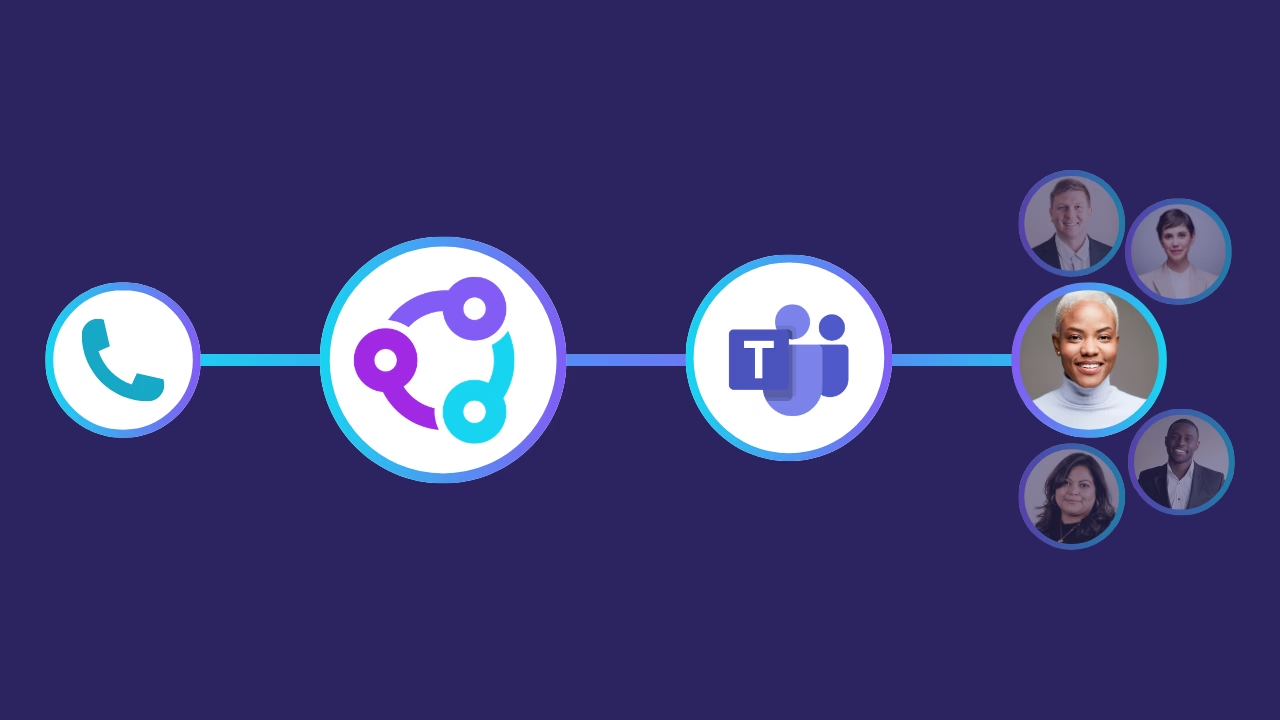
Instead, suitable users can make calls using shared calling resources configured by the organisation.
For education, this can be a particularly effective model.
A school could provide individual numbers and dedicated calling services to regular telephone users while allowing teaching staff who make occasional calls to use Shared Calling.
Similarly, a university could provide dedicated numbers to employees who need them while enabling a much larger population of academic staff to access external calling through shared resources.
For organisations looking at the technical implementation, our guide to configuring Shared Calling in Microsoft Teams explores the setup in more detail.
How can Teams Shared Calling reduce Callroute costs?
Shared Calling can also help education organisations reduce their Callroute licensing requirements.
Where suitable users make calls through a Shared Calling configuration rather than requiring an individually assigned Callroute voice service, institutions can avoid purchasing individual Callroute voice seats for large populations of light telephone users.
It changes an important question in the design of an education telephony system.
Instead of asking:
“How many employees do we have?”
organisations can ask:
“How many employees actually need their own dedicated telephone service?”
For a university, college group or other education provider with thousands of Microsoft 365 users, the difference can be significant.
Dedicated Teams Phone numbers for the people who need them
Shared Calling doesn’t mean eliminating individual telephone numbers.
In many cases, an effective Microsoft Teams Phone for schools or universities deployment will combine dedicated and shared calling.
Receptionists, administrative teams, finance departments, admissions teams and other regular telephone users may require dedicated numbers and voice services.
Teachers, lecturers and other light users may be better suited to Shared Calling.
Common services such as reception, admissions, student services and individual departments can also use appropriate shared or service numbers.
The objective isn’t to remove calling capabilities from users. It is to provide the right type of telephony to the right users, rather than applying an identical licensing model across the entire organisation.
Can Microsoft Teams Phone replace a school or university PBX?
For many users and use cases, Microsoft Teams Phone can reduce or replace the role of a traditional PBX.
However, education environments can contain a variety of specialist voice services that need to be considered as part of any migration, including:
- Contact centres
- Analogue devices
- Door entry systems
- Emergency or lift phones
- SIP devices
- Existing PBXs
- Specialist departmental systems
Moving user telephony to Microsoft Teams therefore doesn’t necessarily mean every voice service has to move to Teams at the same time.
Callroute can also help organisations connect their existing phone numbers, providing greater flexibility when moving users and services towards Teams.
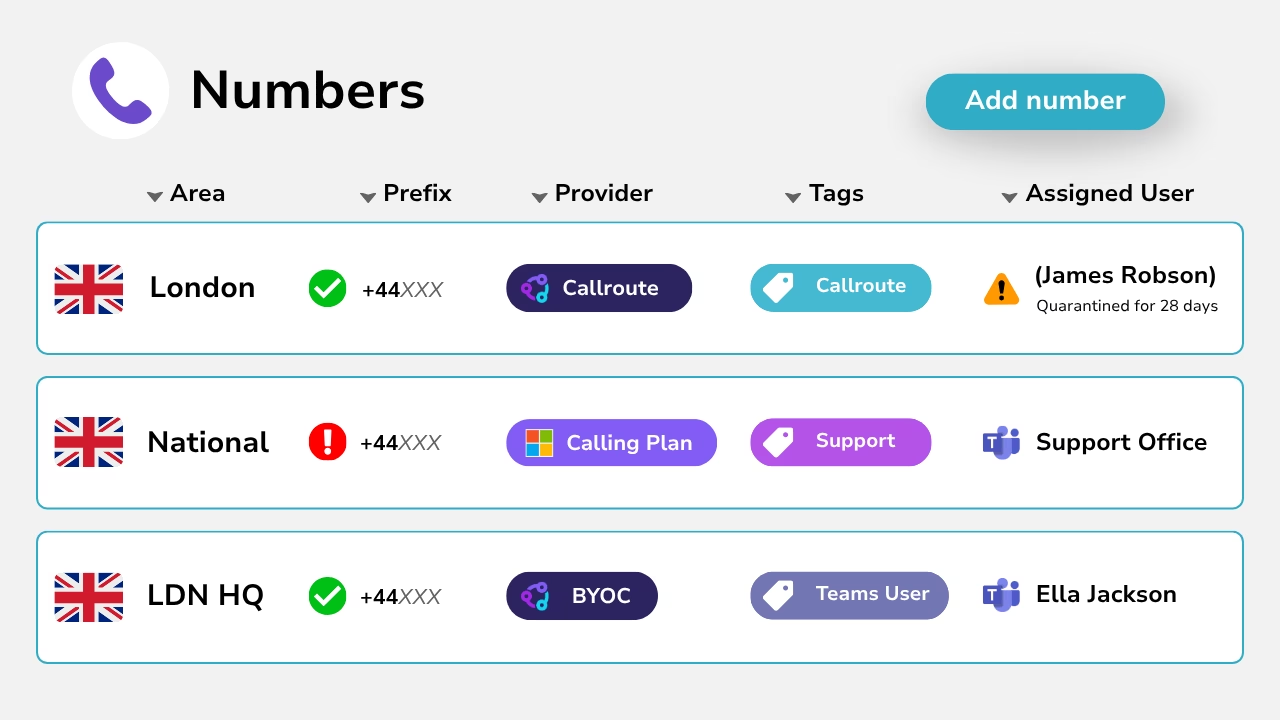
This is particularly relevant for universities and larger education groups, where voice infrastructure may have developed over many years.
Callroute connects Teams to the wider voice environment
Moving to Microsoft Teams Phone doesn’t mean education organisations have to adopt a single approach to PSTN connectivity or replace every existing voice service at once.
Callroute provides a centralised way to connect and manage Microsoft Teams telephony, helping organisations bring together users, numbers, carriers and voice services as part of a more flexible communications environment.
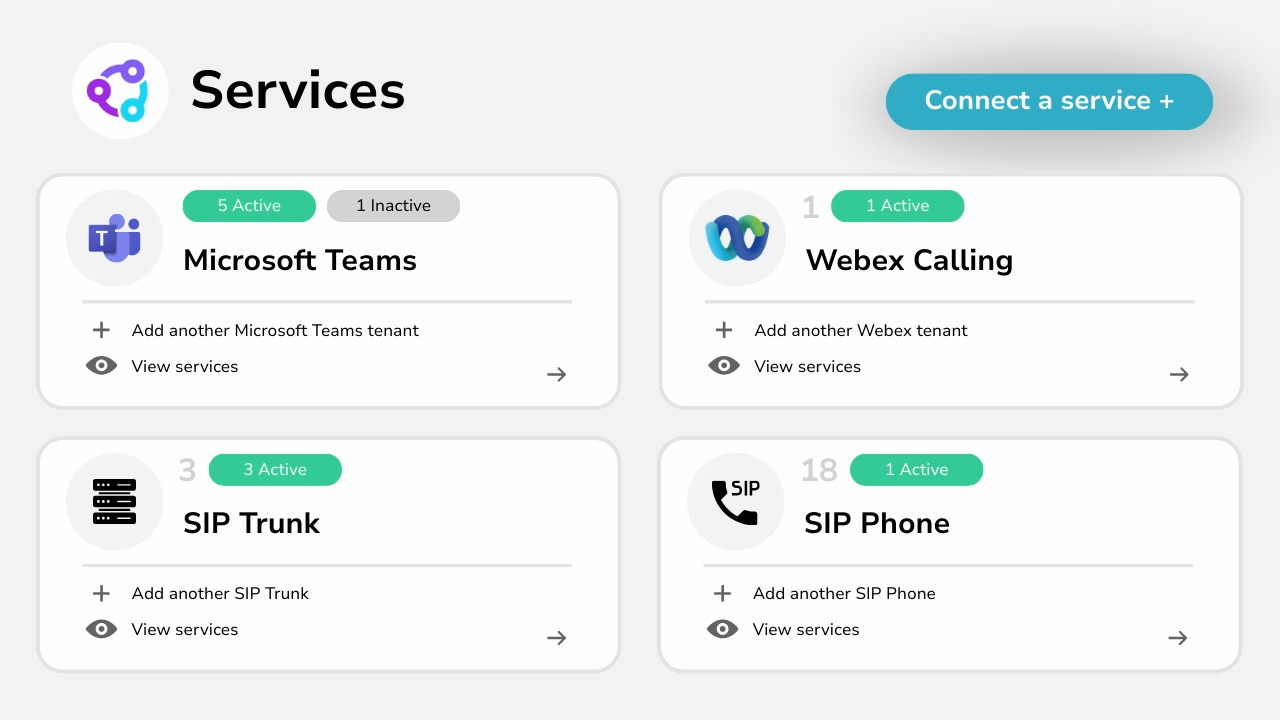
Microsoft supports multiple PSTN connectivity options for Teams Phone, including Microsoft Calling Plans, Operator Connect, Teams Phone Mobile and Direct Routing. This gives education organisations flexibility in how they connect different users and locations to external calling.
For organisations that want to retain their existing PSTN carrier, Direct Routing for Microsoft Teams enables that connectivity to be brought into the Teams environment and managed through Callroute.
This flexibility can be particularly useful for schools, colleges and universities with existing telephony infrastructure, multiple locations or specialist voice requirements. Rather than replacing everything at once, they can move appropriate users and services to Teams Phone while retaining other platforms and systems where they are still required.
It also enables a more manageable migration strategy. Instead of replacing an entire university, college group or multi-site school telephony environment overnight, organisations can migrate individual departments, campuses, schools or groups of users progressively.
Microsoft Teams Phone for universities at scale
Large universities face an additional challenge: provisioning and managing Teams Phone across potentially thousands of users.
Users join and leave, move between departments, change roles and require different calling capabilities. Managing those changes manually can create a considerable administrative burden for university IT teams.
We’ve explored this challenge in more detail in our article on how universities can simplify Microsoft Teams provisioning and save 77% on provisioning costs, including how automated provisioning can reduce repetitive administration and make Teams Phone easier to manage at scale.
This becomes particularly relevant when an institution is looking beyond the initial Teams Phone deployment and considering how it will operate the environment efficiently over the long term.
Microsoft Teams Phone for multi-academy trusts and councils
The same need for centralisation exists within school environments.
A multi-academy trust (MAT) may operate numerous schools that historically acquired their own telephone systems, numbers and connectivity.
Local authorities and councils can have another layer of complexity: they may be responsible for multiple schools while those schools continue to operate their own separate Microsoft Teams tenants.
Managing each environment independently can result in different processes, configurations and provisioning approaches across the education estate.
Callroute’s Multi-Tenant Teams Management can help organisations take a more centralised approach to managing voice across multiple Microsoft environments. It’ exactly what we did for Telford and Wreckin Council who were managing multiple schools, each with their own Microsoft Teams tenant.
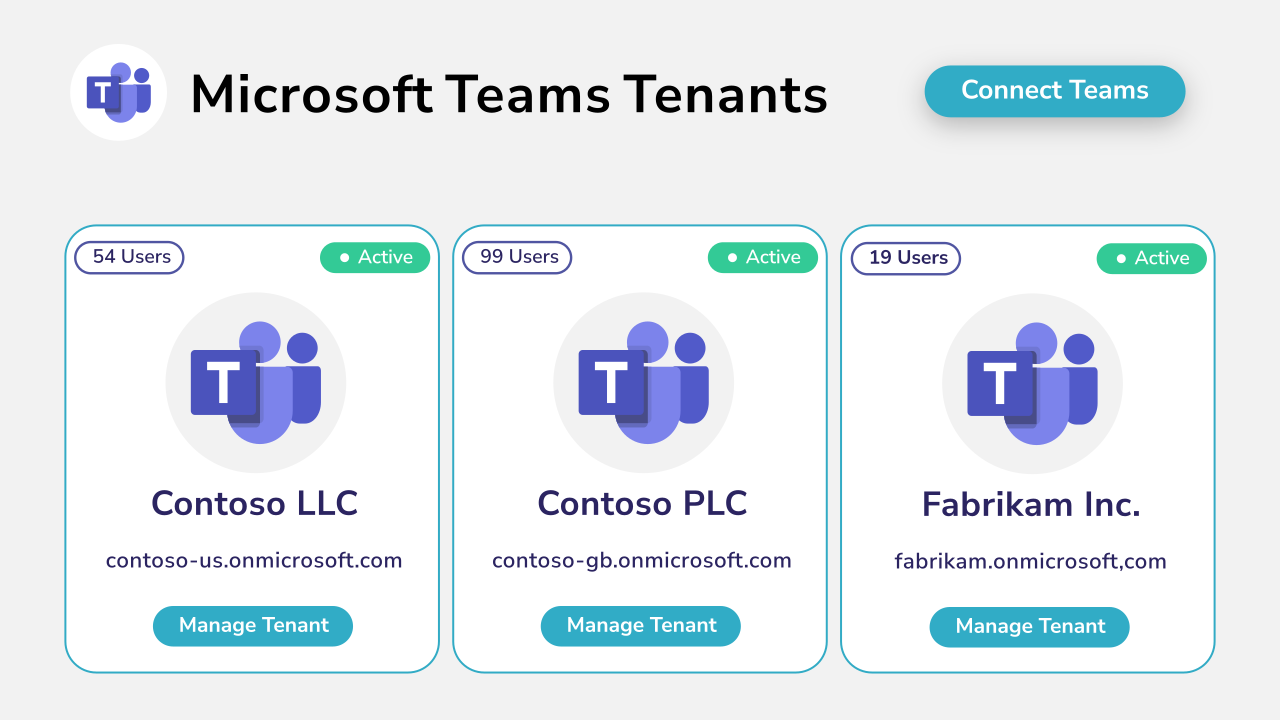
Further reading: Council Consolidates Management Of 5 Tenants Into A Single Pane Of Glass
Microsoft Teams Phone can support flexible and hybrid working
A Teams Phone user isn’t necessarily tied to a traditional desk phone.
Their calling capabilities can be accessed through Microsoft Teams, making this particularly useful for staff who work across different locations.
For universities, that might include employees moving between campuses, working remotely or travelling.
Schools and colleges can similarly provide appropriate staff with access to work telephony without requiring them to be physically sitting beside a particular handset.
It also means staff can use an organisational telephone identity for work calls rather than having to rely on personal mobile numbers.
Don’t simply recreate your old PBX in Microsoft Teams
One of the biggest mistakes an organisation can make when migrating to cloud telephony is simply replicating the existing PBX.
If an institution currently has 3,000 PBX extensions, it doesn’t necessarily follow that it needs 3,000 individually configured users with 3,000 dedicated telephone numbers in the new environment.
A migration to Microsoft Teams Phone for Education provides an opportunity to reconsider the service.
Education IT teams should ask:
- Who genuinely needs a dedicated telephone number?
- Who needs direct inbound calling?
- Who makes external calls regularly?
- Who only needs occasional outbound calling?
- Which users could use Teams Shared Calling?
- Which numbers should belong to departments rather than individuals?
- Which specialist voice systems need to remain outside Teams?
- Are multiple schools or sites operating separate Microsoft tenants that would benefit from standardised provisioning?
Answering those questions before migration can significantly affect both the architecture and ongoing cost of the new environment.
The business case for Microsoft Teams Phone in education
For schools, colleges and universities already invested in Microsoft 365, Teams Phone can be a logical next step in their cloud communications strategy.
The financial case becomes particularly interesting when three factors are combined.
1. Microsoft education pricing
Eligible education organisations can access Microsoft licensing designed specifically for the education sector.
2. Callroute education discounts
Callroute provides discounted pricing for qualifying education customers, helping reduce the cost of connecting and managing Teams voice services.
3. Teams Shared Calling
Light telephone users can potentially access external calling through shared resources rather than requiring their own dedicated telephone number and individually assigned Callroute voice service.
For organisations with large populations of teachers, lecturers and faculty members, that third point can make a considerable difference.
Rather than paying for individual telephony services that receive very little use, institutions can align their expenditure more closely with the way staff actually communicate.
A more flexible approach to education telephony
For schools, colleges and universities already using Microsoft 365, Microsoft Teams Phone for Education provides an opportunity to modernise voice without simply replacing one telephone system with another.
The more interesting opportunity is to rethink the model.
Heavy telephone users can have dedicated numbers. Teachers, lecturers and other light users can benefit from Teams Shared Calling where appropriate. Multi-site and multi-tenant environments can be managed more consistently. Existing voice systems can remain in place where they still serve a purpose, and migrations can take place progressively rather than through a disruptive “big bang” replacement.
Our experience with education customers – from a vocational training provider operating across five locations to a council managing multiple schools and Microsoft Teams tenants – shows that education telephony rarely has a one-size-fits-all requirement.
By combining Microsoft education licensing, Callroute education pricing, Teams Shared Calling and centralised voice management, organisations can build a Microsoft Teams Phone environment around how their staff actually work.
You can learn more about Callroute, explore our Microsoft Teams Phone solution, or read our industry guide on simplifying Microsoft Teams provisioning for universities.
Talk to Callroute about Microsoft Teams Phone for Education and explore how your school, college, university or education group could modernise voice while reducing unnecessary telephony costs.