Last updated July 2026.
Microsoft Teams has become the communications hub for organisations around the world. Chat, meetings and collaboration are already part of everyday work, making Microsoft Teams Phone the natural next step for businesses looking to modernise their telephony.
At the time of writing, Microsoft Teams Phone supports more than 26 million PSTN users, yet with penetration sitting at just 6% of the broader Teams user base of over 350 million monthly active users, the majority of organisations are still planning or beginning their voice migration journey.
The challenge isn’t deciding whether Microsoft Teams is the right collaboration platform.
The challenge is understanding how to migrate to Microsoft Teams Phone without disrupting users, replacing working infrastructure unnecessarily, or waiting years for existing carrier contracts to expire.
For many organisations, voice environments have evolved over decades. Existing PBXs, SIP carriers, analogue devices, contact centres and cloud calling platforms often need to continue operating throughout the transition.
The good news is that a successful Teams Phone migration doesn’t have to be a “big bang” project.
By taking a phased approach, organisations can introduce Microsoft Teams Phone alongside their existing voice environment, migrate users at a pace that suits the business, and modernise communications without unnecessary disruption.
In this guide, we’ll explain what a Microsoft Teams Phone migration involves, the key considerations before you begin, common mistakes to avoid, and what to look for in a migration platform.
What Is a Microsoft Teams Phone Migration?
A Microsoft Teams Phone migration is the process of enabling Microsoft Teams as your organisation’s business phone system while transitioning users, phone numbers and voice services from your existing communications environment.
That environment may include:
- Existing SIP carriers
- On-premises or hosted PBXs
- Contact centres
- Analogue devices
- Cloud voice platforms
- Multiple regional telephony providers
Importantly, migration doesn’t have to mean replacing these systems immediately.
Most successful projects allow Microsoft Teams Phone to coexist with existing telephony while users are migrated in manageable phases. This reduces project risk, avoids unnecessary disruption and gives IT teams the flexibility to modernise voice services according to business priorities rather than technical constraints.
Why Organisations Migrate to Microsoft Teams Phone
Every migration is different, but the reasons organisations choose Teams Phone are remarkably consistent.
Standardise Communications
Many organisations already use Microsoft Teams for meetings and collaboration but continue to rely on separate solutions for business calling.
Extending voice into Teams gives employees a familiar interface for chat, meetings and PSTN calling while simplifying the overall user experience.
Modernise Existing Voice Infrastructure
Rather than replacing working telephony overnight, many organisations are looking to modernise their communications gradually.
Introducing Microsoft Teams Phone alongside existing voice services allows businesses to move at a pace that suits them while protecting previous investments.
Simplify Voice Management
As organisations grow, voice environments often become fragmented across multiple carriers, locations and management portals.
Centralising administration provides greater visibility, simplifies day-to-day management and reduces operational complexity for IT teams.
Prepare for What’s Next
Voice technology continues to evolve beyond traditional telephony.
Whether it’s Voice AI, automation or new collaboration services, organisations want a voice platform that can adapt without requiring another major transformation programme.
Five Things to Consider Before You Start
Before migrating to Microsoft Teams Phone, there are several factors that can have a significant impact on the success of your project.
1. Don’t Let Carrier Contracts Delay Your Migration
One of the biggest misconceptions is that organisations need to wait until existing carrier agreements expire before starting their Teams Phone migration.
In reality, these can be treated as separate projects.
A platform that supports Bring Your Own Carrier (BYOC) allows organisations to continue using existing SIP carriers while introducing Microsoft Teams Phone. Users can begin migrating immediately, while carrier changes happen later when it makes commercial sense.
This removes one of the biggest barriers to starting your migration.
2. Understand Your Existing Voice Environment
Very few organisations operate a single phone system.
Your communications environment may include:
- PBXs
- Contact centres
- Analogue devices
- SIP trunks
- Specialist telephony applications
These systems often support critical business functions and cannot simply be switched off overnight.
Rather than viewing these as obstacles, plan for coexistence.
A phased migration enables Microsoft Teams Phone to operate alongside your existing voice environment while users, departments or locations are migrated at a pace that suits your business.
3. Keep Control of Your Phone Numbers
Phone numbers are one of your organisation’s most valuable communications assets.
Changing numbers during a migration creates unnecessary disruption for employees, customers and business processes.
Before starting your migration, consider:
- Can users retain their existing direct dial numbers?
- Where is your number inventory managed?
- How will spare numbers be allocated?
- How are reserved or quarantined numbers tracked?
- How will new numbers be assigned as the organisation grows?
Having complete visibility of your number estate before migration significantly simplifies administration throughout the project.
4. Reduce Manual Administration
Migrating to Microsoft Teams Phone involves far more than assigning licences.
Users require not only their phone numbers and voice routing, but policies to define how they can use Teams Phone and other configuration elements before they’re ready to make and receive calls.
Completing these tasks manually quickly becomes time consuming as projects scale.
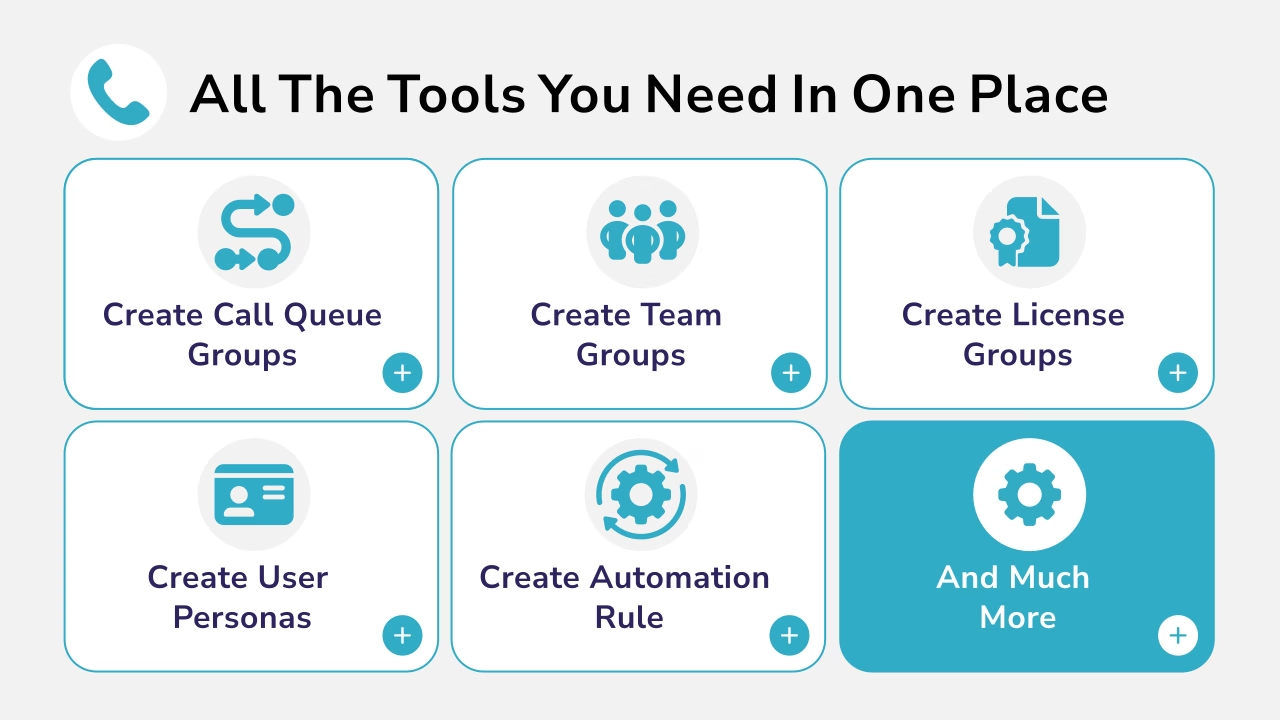
Automation can significantly reduce administration while improving consistency across the organisation by streamlining user provisioning, phone number assignment and policy management.
5. Plan for a Phased Migration
The most successful Microsoft Teams Phone migrations aren’t completed in a single weekend.
Instead, organisations typically:
- Connect Microsoft Teams to their existing voice environment.
- Validate the solution with a pilot group.
- Migrate users by department, location or business unit.
- Expand using repeatable migration processes.
This phased approach reduces project risk while allowing IT teams to refine the migration as it progresses.
Why Microsoft Teams Phone Migrations Stall
Although every organisation is different, the reasons migrations lose momentum are surprisingly similar.
Waiting for the “Perfect” Time
Carrier contracts, legacy telephony and competing IT priorities rarely align perfectly.
Waiting for every dependency to disappear often delays projects unnecessarily.
Instead, successful organisations introduce Microsoft Teams alongside their existing environment and migrate when each part of the business is ready.
Treating Migration as a Single Event
Enterprise telephony migrations are programmes rather than projects.
Trying to replace every voice service during one cutover significantly increases complexity and risk.
Breaking the migration into manageable phases delivers value sooner while minimising disruption.
Underestimating Operational Complexity
Voice migrations involve far more than moving users.
Phone numbers, routing, policies, emergency calling, reporting and governance all require careful planning to ensure a smooth transition.
Choosing a Platform That Only Solves Part of the Problem
Some platforms help organisations enable Teams Phone.
Others focus on managing Teams Phone once it’s already deployed.
Ideally, organisations should choose a solution that supports both.
From Day 0, it should simplify migration planning, connectivity and user onboarding.
From Day 2, it should continue delivering value through centralised number management, automation, policy management and user lifecycle management.
How Callroute Supports Microsoft Teams Phone Migrations
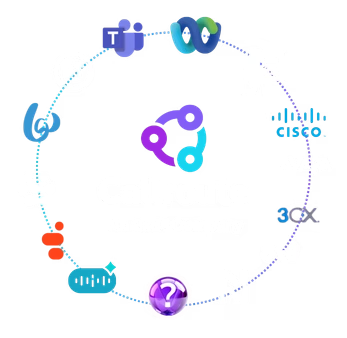
Callroute is a cloud-based voice orchestration platform that can be used to simplify Microsoft Teams Phone migrations by connecting your existing voice environment to Teams.
Rather than requiring a rip-and-replace approach, Callroute enables organisations to migrate users at a pace that suits the business while maintaining continuity across their existing voice services.
Callroute supports the entire Microsoft Teams Phone lifecycle, from Day 0 (pre-migration) through the various migration phases right through to BAU / Day 2 management.
Once Callroute is in the call path, your existing voice platforms and Microsoft Teams work together. Existing SIP carriers, PBXs and other voice services continue operating while users, phone numbers and departments can be migrated at a pace that suits your business. Administrators gain centralised visibility and control from a single portal throughout the migration and beyond.
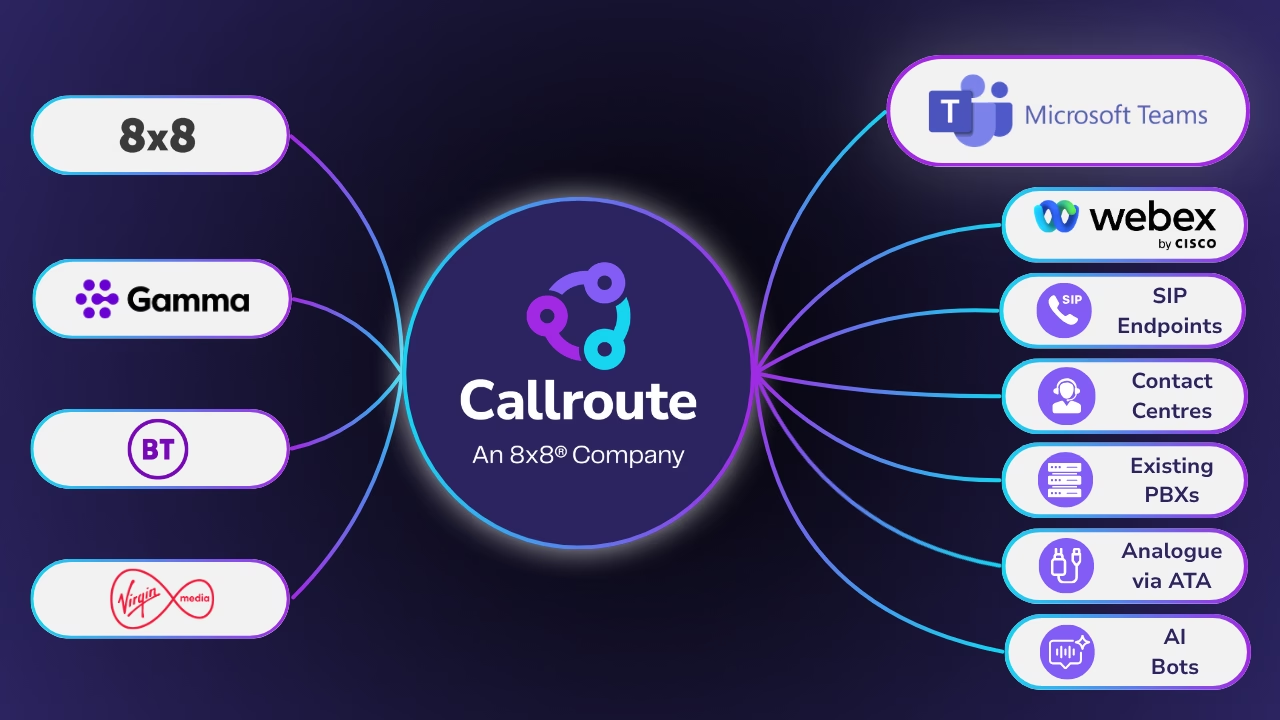
During your migration, Callroute enables you to:
- Connect Microsoft Teams to your existing SIP carriers using a Bring Your Own Carrier (BYOC) approach.
- Bulk provision Teams Phone users (numbers and policy packs) using simple CSV imports.
- Ensure existing phone numbers remain operational throughout the migration.
- Migrate users, departments or locations in controlled phases.
- Centrally manage and track your phone number inventory.
- Maintain business continuity while legacy voice platforms continue operating alongside Teams.
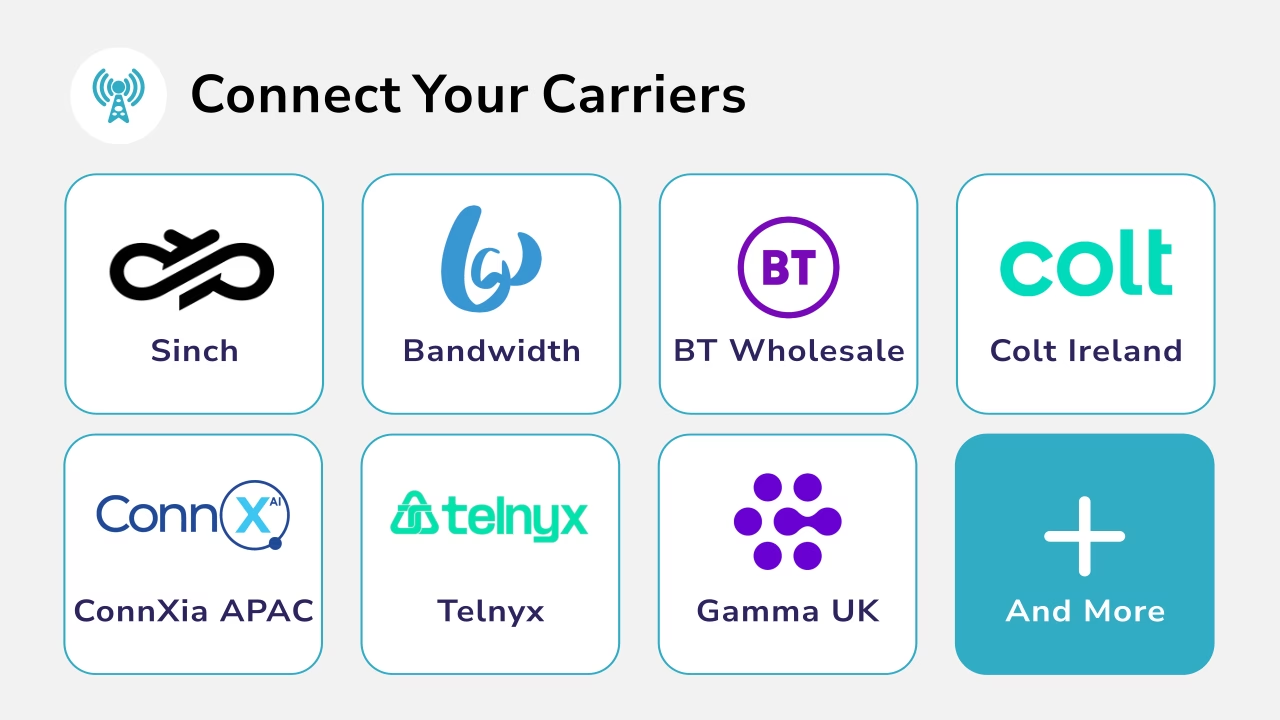
Once your migration is complete, the same platform continues to simplify ongoing Teams Phone management, including user lifecycle management, number management, policy administration and automation from a single portal.
Start Your Microsoft Teams Phone Migration with Confidence
Migrating to Microsoft Teams Phone doesn’t have to mean replacing everything overnight.
By separating your Teams migration from carrier contracts, introducing Microsoft Teams alongside your existing voice environment and migrating users in phases, organisations can modernise communications while significantly reducing project risk.
The key is choosing a platform that supports both the migration itself and the long-term management that follows.
If you’re planning a Microsoft Teams Phone migration, book a demo to see how Callroute can help you connect existing voice services, simplify user management and modernise your communications environment.