Updated July 2026.
Are you a managed service provider (MSP) struggling to efficiently manage Microsoft Teams MACDs for multiple customers?
Look no further!
Orto by Callroute has the solution that will transform your MSP business and boost your profitability.
The Challenge: A Complex Landscape
For MSPs specializing in Microsoft 365 managed services, the challenges can be daunting.
Managing Moves, Adds, Changes and Deletes (MACDs) for Microsoft Teams involves handling various customer environments, each with unique access procedures and evolving documentation.
This can lead to a host of problems, including:
- Credential Management Woes: Managing individual technician credentials can lead to a lack of control and security concerns.
- Access Inefficiencies: Disparate access methods and the need to navigate through multiple customer environments can slow down technicians, leading to mistakes and inefficiencies.
- Outdated Processes: Stale documentation can result in applying changes based on outdated processes, increasing customer dissatisfaction and escalation tickets.
- Tooling Limitations: The inability to deploy efficient tools for automation increases reliance on manual provisioning and offboarding, driving up costs.
- Scaling Limitations: Adding more users and looking after more businesses means more human effort, potential new hires, and extraction from existing budgets.
And let’s not talk about the crisis that happens when one of your team hits the wrong button and wipes out the entire VoIP system for two days.
Wait, you never did that?
I did.
Read about that here: When I was provisioning a coordinator, I made lots of mistakes.
Orto’s Game-Changing Solution
Orto offers a partner-centric portal that addresses these challenges head-on, enabling MSPs to streamline their operations and improve customer satisfaction:
- Unified Access: Orto’s portal allows technicians to access multiple customer environments with a single login, simplifying the process.
- Multi-Tier Account Management: Callroute’s Distribution Layer enables operators, distributors, and partners to create structured account hierarchies and maintain visibility across the resellers and customer organizations beneath them.
- Granular Roles-Based Access Control (GRBAC): Technicians can be restricted to specific customers and activities, ensuring accountability.
- Standardized Access: Orto provides a consistent access method for all customers, eliminating the need for complicated jump boxes or VPNs.
- Audit Trail: All activity is audited, making it easy to trace changes back to the responsible technician.
- Deployment Templates: Customize configurations quickly and deploy them to customers, reducing manual errors and speeding up change implementation.
- Efficient Automation: Streamlined tooling and automation capabilities reduce manual tasks, resulting in quicker ticket resolution, fewer SLA breaches, and increased customer satisfaction.
When asked about auto-provisioning for Teams, Kevin Kieller, Lead Analyst at enable UC, said,
“Auto-provisioning for Microsoft Teams means faster, more consistent, more secure process, that will improve the overall end-user Teams experience.”
With Orto’s admin-friendly MSP-facing portal, we’re extending those benefits to the companies charged with looking after those end customers.
We’re talking about the smaller businesses without a dedicated Teams resource in-house. The businesses who outsource their IT service management. The businesses who trust you to look after their collaboration infrastructure.
If you’re constantly fighting a manual battle, you can’t do that. And, perhaps more importantly, you can’t grow.
So, What Is Orto?
Orto by Callroute is an automated provisioning and user management solution for Microsoft Teams. You create templates one-off then every new user that gets added to Entra gets their Teams licenses, policies, and access created without you needing to lift a (error-prone) finger.
It helps you and your end customers save time and money on administrative tasks such as provisioning new users, managing changes to existing users and supporting offboarding processes.
Orto can automate the assignment of numbers, policies, licenses, queues and teams, as well as changes to and removal of numbers and policies when a user changes role or leaves.
If your service provider or value added reseller practice plans to win new business but is held back by the restriction of not having enough in-house provisioning resource, lift that burden by automating the processes that take hours to complete, quality check, and remedy when a problem occurs.
When relying on humans, you’re going to get human errors. That’s not a reflection on you. It’s the reality of humans.
So, instead of needing humans every time you need to make even the smallest change, let Orto do the hard work.
When you deploy Orto, you get…
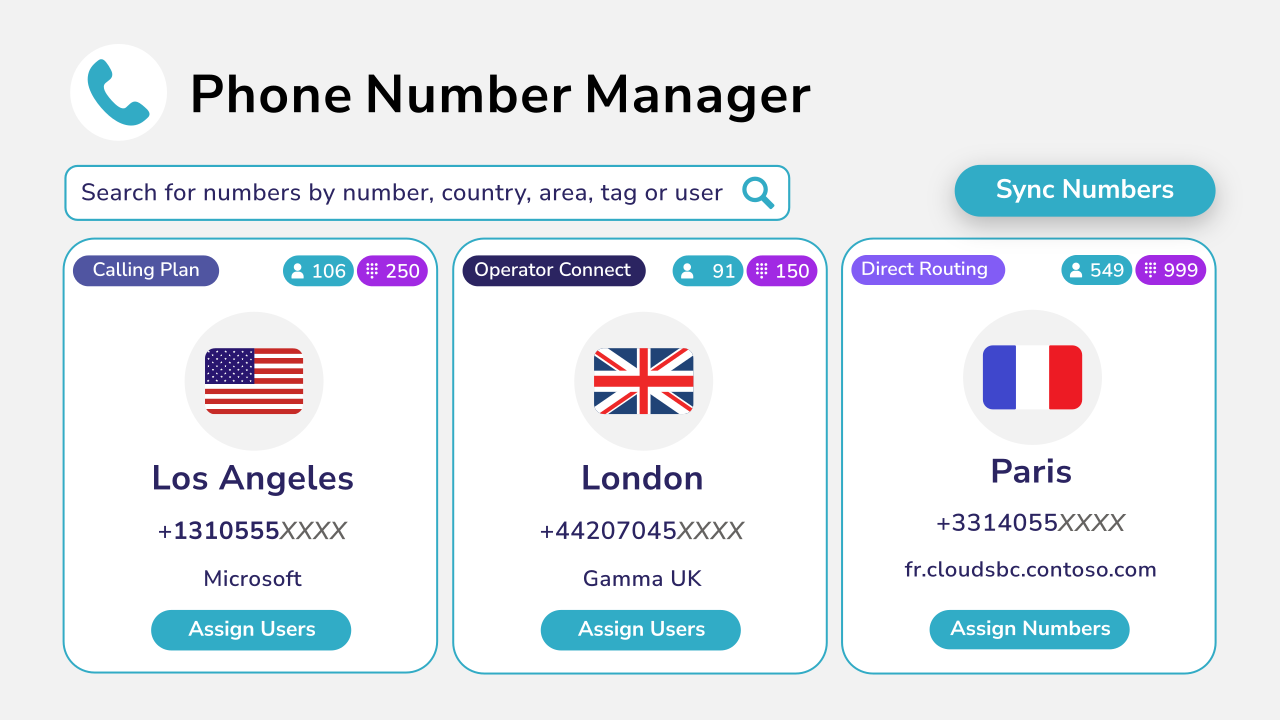
A single place to manage your customers’ numbers:
The ability to add agents to call queues without PowerShell:

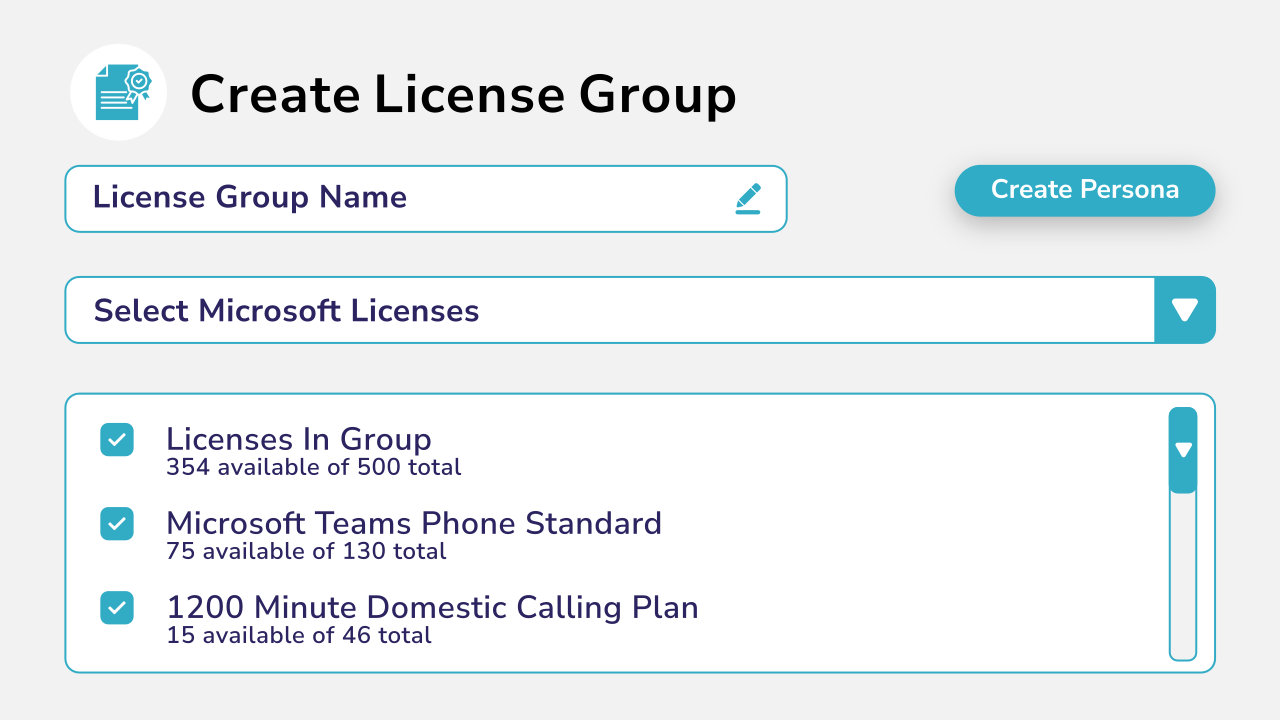
A one-stop-shop to license all users for Teams Phone and Calling Plans:
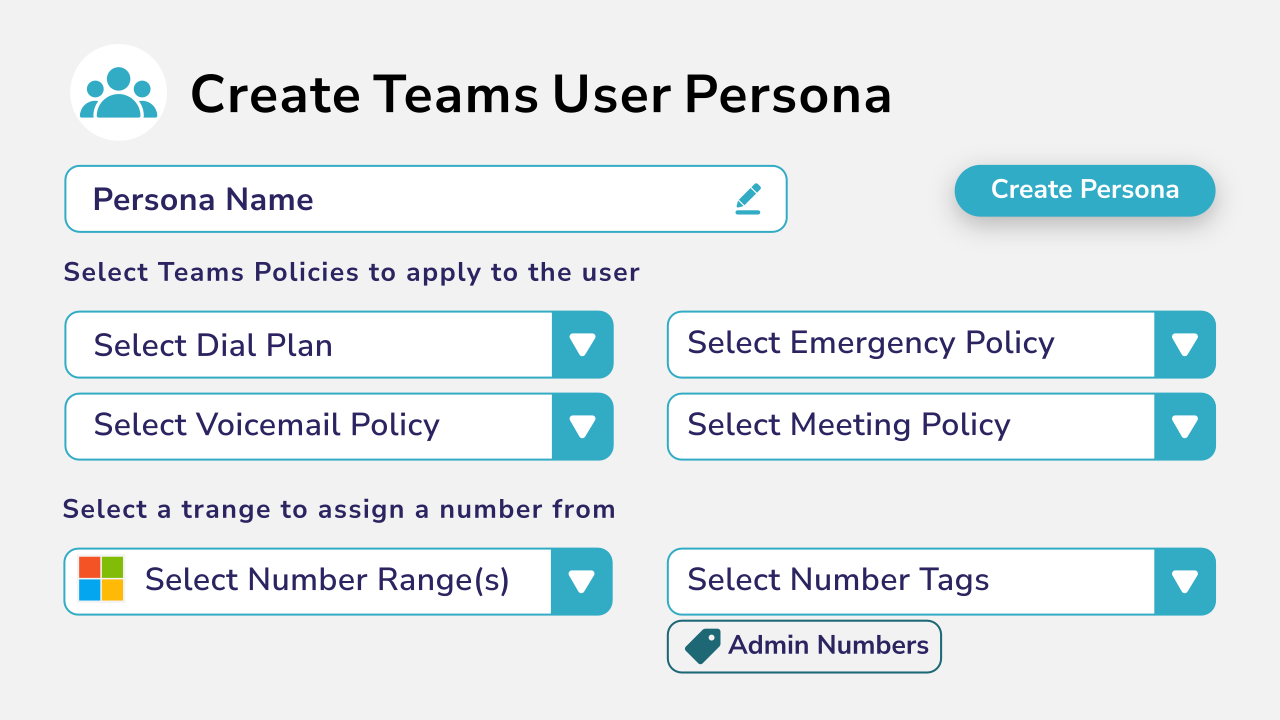
Template personas for each customer, enabling automated provisioning based job role, department, or seniority:
MACD management doesn’t stop when a user changes role or leaves. For Microsoft Teams Phone customers, their phone number and policies may also need to be changed or removed.
Orto can automate these actions based on defined rules, helping MSPs apply a more consistent process across customer environments. Released phone numbers can also be quarantined before becoming available for reuse and restored if an employee returns.
Through API integration, Orto can work alongside customers’ existing IT service management (ITSM) systems. Customers can continue to manage activities such as licensing through ServiceNow or another established system, while delegating Teams Phone number and policy management to their MSP through Orto.
For MSPs, this provides a more consistent way to manage customer offboarding while protecting valuable numbering resources.
Explore how Orto helps MSPs manage Microsoft Teams users across multiple customer tenants, standardize service delivery, and support growth at scale.
The Bottom Line: Increased Profitability
Orto not only improves efficiency but also makes your MSP more profitable:
- Remove Scalability Limitations: By automating routine provisioning and the management of numbers and policies when users change role or leave, Orto helps you take on more contracts without increasing your workforce
- Faster Customer Acquisition: With no setup fees or training required, partners can create customer organizations and launch free trials directly through the Callroute portal in minutes. Trials can then be quickly converted into live production services when customers are ready to proceed.
- Reduced Human Resource Dependency: With Orto, you can manage customer accounts with significantly fewer technicians, potentially reducing costs by 50-60%.
- Competitive Edge: The increased margin allows you to stay competitive in the market, offering better pricing while maintaining profitability.
- Enhanced Customer Satisfaction: Faster response times and reduced errors result in happier customers.
If you’re scaling your Teams business, you can’t get left behind because of provisioning resource.
Mike Wilkinson, Chief Product and Marketing Officer at Akixi, says,
“It’s not a quantitative assessment when figuring out whether to embrace automation. It’s a binary assessment. Service providers won’t deploy without automation as it’s simply unmanageable.”
Don’t let the complexity of MACD management hold your MSP business back.
With Orto by Callroute, you can streamline operations, reduce costs, and offer exceptional service to your clients. Thus, enabling you to scale your Teams practice indefinitely.
You can onboard users in minutes and make changes across the board in a few clicks, and apply a consistent process when users leave. All without the worry that you’re asking new or tired staff to run through yet more routine and mundane tasks.
Revolutionize your managed service offerings with Orto and stay ahead of the competition.