Delegate With Granular Roles-Based Access Control

Granular Roles-Based Access Control, part of Orto for Microsoft Teams, enables large organizations to delegate regional access to admins without losing central governance.

Diagram showing role based access delegation .

What Is Granular Roles-Based Access Control By Callroute?

Granular Roles-Based Access Control (RBAC) enables local IT teams to manage Teams user assignments, numbers, and policies strictly within their region or department. Using Granular RBAC, admin tasks can be decentralized while keeping compliance and governance centralized.
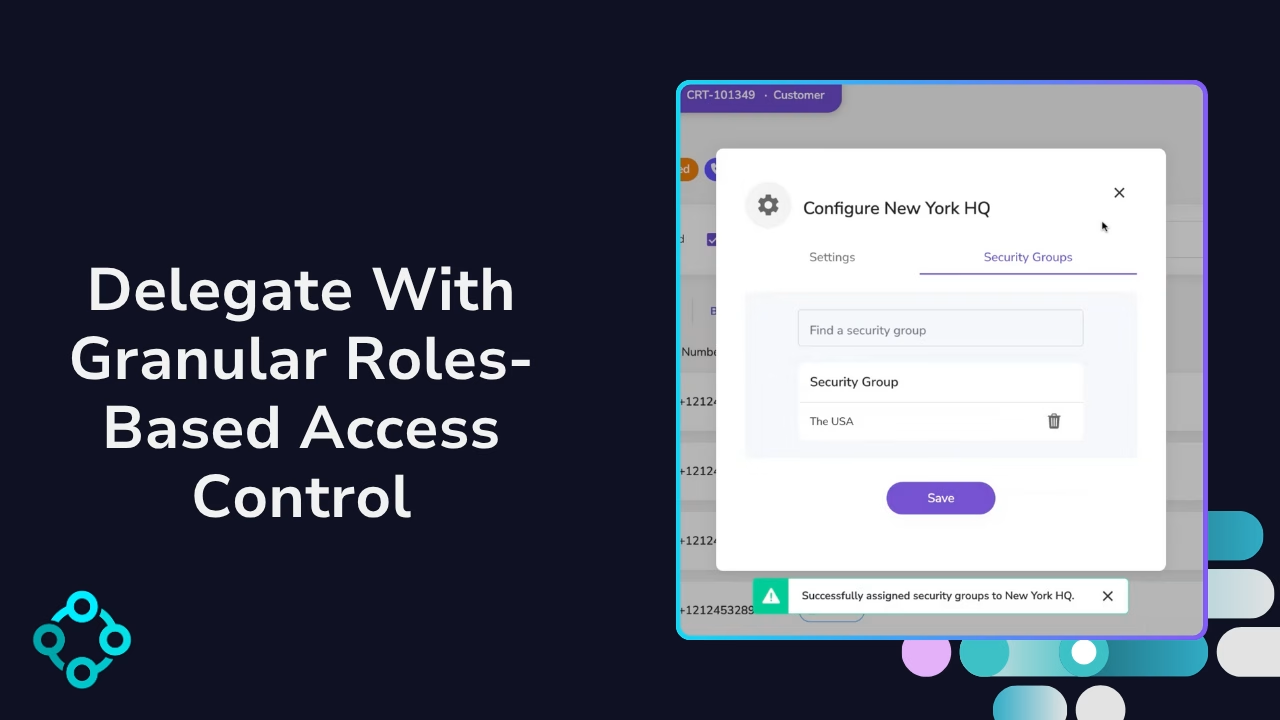
Video cover image, Delegate with granular roles-based access control.

Compared to Roles-Based Access Control, Granular Roles-Based Access Control with Orto offers:

  • Greater flexibility in permission assignment

  • Improved security through least-privilege access
  • Enhanced delegation for specific teams or departments
  • Reduced administrative burden on IT
  • Better auditability and compliance reporting

How Does Granular RBAC Compare To RBAC?

Standard RBAC in the Teams Admin Center gives a small number of high-privilege roles very broad, tenant-wide access. Even with good governance, these admins can see and change far more than they need to, especially in global or multi-tenant Microsoft Teams environments.

Granular RBAC with Orto applies least-privilege control on top of your existing Entra and TAC roles. Orto Security Groups and Entra-based rules restrict each admin to specific users, sites, or phone numbers so no one gets tenant-wide visibility or control unless they need it.

Microsoft teams icon representing its integration with Callroute.

Roles Based Access Control (RBAC)

Orto logo representing Microsoft Teams user management.

Granular Roles Based Access Control (Granular RBAC) with Orto

Role model

Uses predefined Microsoft Entra / TAC admin roles (e.g. Teams Administrator, Teams Communications Administrator)

Uses the same Entra ID / Teams admin roles – no new role model to learn

Scope of access

Roles are typically tenant-wide, with limited scoping via Administrative Units

Orto limits the ability to administer on certain users and phone numbers via Orto Security Groups (e.g. region, site, department, business unit)

Precision

Broad – admins can see and change users that are beyond their remit

Granular – admins only see and manage users and numbers within their assigned Orto Security Groups

Policy management

Policies are typically configured and combined manually by central admins

Central IT defines standard policy packs (Personas); local admins can assign them but cannot change the underlying combinations

Governance & Operations

Central TAC admins handle many day-to-day changes across the whole tenant

Local/regional admins handle their own areas; central IT defines roles, rules and guardrails in Orto

Read the full comparison on our blog: RBAC vs Granular Roles-Based Access Control: Why Global Enterprises Are Decentralizing Microsoft Teams Management.

Why Choose Orto For Microsoft Teams Granular RBAC?

Granular RBAC is included in Orto Pro plans, and can be managed quickly and easily using our portal.

How Granular Roles-Based Access Works

From your Orto dashboard:

  • Create Orto Security Groups by region or function
  • Build rules to associate users with Security Groups

  • Assign the local admin’s access

  • Monitor activity with full visibility and control

No risk. No overreach. Just streamlined voice management at scale.

Diagram showing role based access management.

Why Choose Orto For Teams Number Management

Granular RBAC is tailor-made for the following types of businesses:

With Orto, you get a suite of voice automation tools that simplify and secure your Microsoft Teams Phone environment.

Granular RBAC is just one reason why Orto is the platform of choice for enterprises that take management of Teams Phone and security seriously.

Pricing Plans

Currency:

GBP
  • GBP
  • EUR
  • USA

Orto Standard

Simplify Microsoft Teams user management — numbers, policies, licences, and call queues.

Orto Pro

For enterprises that want to fully automate Microsoft Teams user provisioning

No. Users:

£0.50 monthly per user

N/A for selected user count

Minimum users

50+

200+

Number inventory management

Policy & persona management

Granular Roles-Based Access Control

Delegate user management by region

Microsoft license administration

Call queue administration

Automated provisioning

Provisioning API

Frequently Asked Questions

Yes, you can try Callroute free with a 14-day trial. No credit card and no commitment required. Your trial includes:

  • 1x UK 0330 number
  • 1x single concurrent call limit
  • Connect up to 4 Microsoft Teams tenants
  • Explore all Callroute Teams Calling features
  • Explore all Orto Teams User Management features

To get started, book a guided setup session so we can tailor the trial to your requirements. All you need is an email address, which you’ll verify during setup.

Granular Roles-Based Access Control (RBAC) goes beyond traditional RBAC, which usually applies broad permissions across an entire platform. With Granular RBAC, organisations can assign very specific management access, down to individual Microsoft Teams users and phone numbers. This means you can control access by location, department, or geography.

For example, USA-based Orto admins can be restricted to only view and manage Teams users and phone numbers in the USA, without seeing data from other regions. Read more.

Granular RBAC is important for Microsoft Teams management because it gives organisations precise control over who can manage what in Microsoft Teams. Instead of giving broad, platform-wide permissions, you can limit access to only the users, phone numbers, or locations an admin is responsible for. This improves security, reduces errors, and makes it easier to delegate day-to-day management without losing oversight.

In Callroute’s Orto platform, Security Groups must first be pre-created by the Orto service administrator to represent the access boundaries you want (e.g., USA, USA Execs, Sales).

  • Users: Using Orto’s no-code wizard, you can build rules that automatically place Microsoft Teams users into these pre-created Security Groups. Rules can target:
    • Entra ID attributes (e.g., country, department)
    • Microsoft 365 group membership (e.g., “Sales”, “Executives”)
    • If country = USA → place user into USA Security Group.
    • If country = USA and department = Executive → place user into USA Execs Security Group.
    • If member of 365 group = Sales → place user into Sales Security Group.
  • Phone numbers: Orto service admins also assign phone numbers to Security Groups as a one-time setup task. This can be done directly in the Orto UI or, for large data sets, via spreadsheet import.
  • Admins: Orto admins are then assigned to one or more Security Groups. When they log in, they only see and manage the Teams users and phone numbers belonging to those groups, and nothing else.

This ensures access is tightly controlled, reflects your organisation’s structure, and adapts automatically as user attributes or group memberships change.

Yes, Orto’s granular RBAC is secured with Microsoft 365 SSO login, independently penetration tested by a third party, and delivered by an ISO 27001–accredited company.
Yes, Orto lets you assign custom roles to admin users within Security Groups, so each admin can have different permissions even if they manage the same set of users and numbers.

For service providers and managed service providers (MSPs), the principle of granular RBAC is the same as it is for single organisations. Roles and permissions are tightly scoped so admins only see and manage what they should.

The difference is that MSPs can apply this across multiple customer tenants from within Orto. This provides:

  • A single pane of glass to manage multiple end customers.
  • Consistent, granular controls that align with each customer’s own Entra attributes, Microsoft 365 groups, and Orto Security Groups.
  • The ability to delegate customer-specific admin roles without exposing data or controls from other tenants.

Example scenario:
An MSP helpdesk engineer can be assigned read-only access to Customer A’s tenant, so they can troubleshoot without making changes, while a senior engineer can be given full admin rights across all tenants they support.

This means MSPs can securely and efficiently manage many customers from one platform, while maintaining the same tight access controls that Orto provides for individual organisations.

Granular RBAC in Orto has been designed to be simple and intuitive to use. Most admins can get started quickly with the help of our step-by-step videos that explain the basics.

If additional guidance is needed, Callroute provides a free support session with one of our engineers. This typically takes no longer than 30 minutes and will give you all the knowledge required to confidently manage roles, Security Groups, and permissions in Orto.

This ensures you can be up and running fast, without the need for extensive training.

What Our Customers Say

  • “Our partnership with Callroute has always been outstanding. Communication is seamless, and they consistently demonstrate exceptional customer focus. They are not just a partner; they are a true enabler of global telephony uptime. Their support is exceptionally responsive and a pleasure to work with, even on the rare occasions it’s needed.”

    Dave

    Health, Wellness & Fitness, 1,001–5,000 Employees

    Telephony Engineer in UK

  • “Happy user. Has been great. This makes it much easier to manage numbers. Ease of use and quick support when I have had any issues.”

    James

    Technical Specialist - Collaboration in US

    Packaging & Containers, 10,000+ Employees

  • “Finding CallRoute is possibly the best thing that’s happened for our telco platform. They’ve provided us with administrative and reporting capabilities that nobody else would. They’ve remained extremely flexible, allowing for outside the box thinking and customizations delivered faster than anyone would expect. We intend to stick with CallRoute for the long haul. Highly flexible, extremely attentive to requests and needs, support staff absolutely beyond compare.”

    Russ

    Telephony Architect in US

    Mechanical or Industrial Engineering, 10,000+ Employees

Book a demo

Join over 150,000 other users that use Callroute to stay connected, and manage their numbers and user more efficiently.