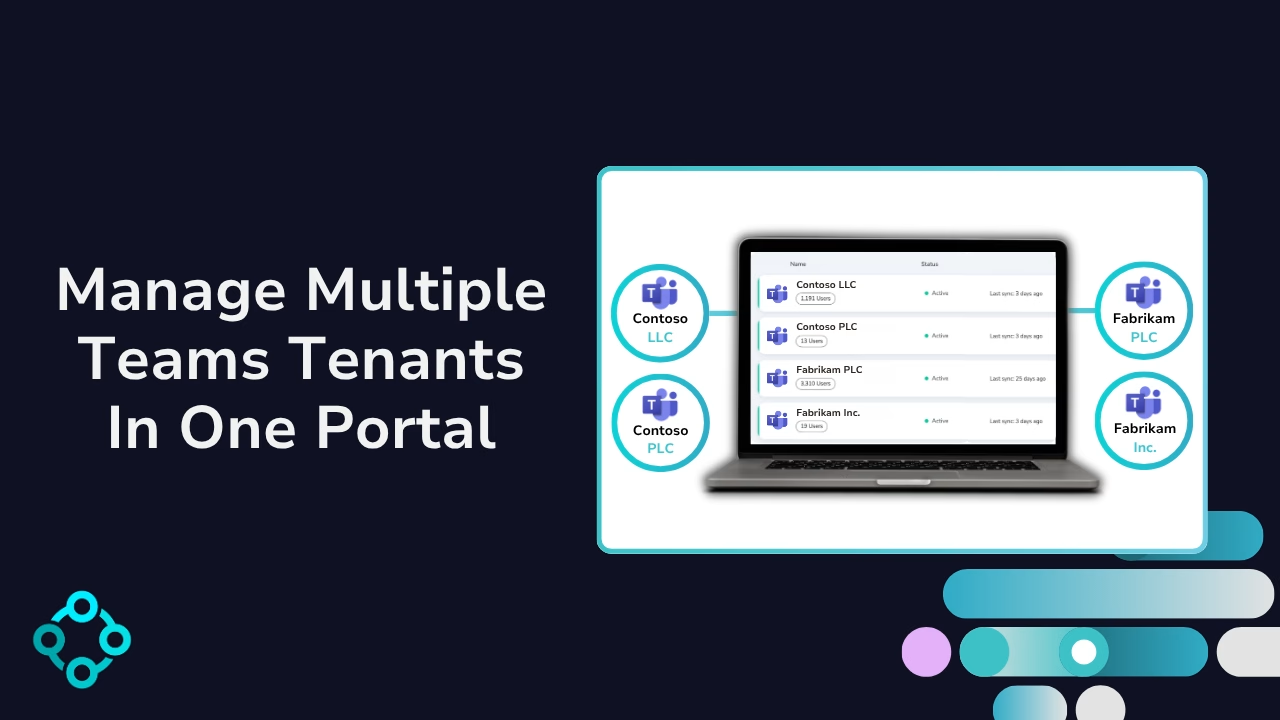
Manage Multiple Tenants

No more switching between multiple Teams tenants. Manage users, policies, and phone numbers across all your Microsoft 365 tenants in one single interface.

Diagram showing management of multiple Microsoft Teams tenants.
Diagram showing Microsoft Teams user management with live status, name and type.

Streamline Management Across Multiple Teams Tenants

Connect multiple Microsoft 365 tenants simultaneously. No more logging in and out of different admin portals. Access, filter, and manage Teams users, policies, phone numbers, and licenses across all tenants from a single, unified interface.

  • Connect your Teams tenants in minutes
  • View all your Teams tenants in one place
  • View user counts, tenant types, and their current status
  • Filter and switch between tenants quickly and easily

Benefits Of Multi-Tenant Teams Management

Whether you’re an enterprise navigating the complexity of multiple Microsoft tenants post-merger, or an MSP managing client environments, Orto by Callroute makes managing Teams simpler, faster, and far more scalable.

Better tools to manage your teams numbers

How does it work?

Learn how to centralize your enterprise phone line services in one cloud and share them across multiple Microsoft Teams tenants.
  • Grant Callroute the required consents for each 365 tenant
  • Orto will synchronise your users, licenses & numbers
  • Repeat for as many tenants as you like
  • Start managing your Teams tenants
Video cover image, Manage multiple tenants in one portal.

Pricing Plans

Currency:

GBP
  • GBP
  • EUR
  • USA

Orto Standard

Simplify Microsoft Teams user management — numbers, policies, licences, and call queues.

Orto Pro

For enterprises that want to fully automate Microsoft Teams user provisioning

No. Users:

£0.50 monthly per user

N/A for selected user count

Minimum users

50+

200+

Number inventory management

Policy & persona management

Granular Roles-Based Access Control

Delegate user management by region

Microsoft license administration

Call queue administration

Automated provisioning

Provisioning API

What Our Customers Say

  • “Our partnership with Callroute has always been outstanding. Communication is seamless, and they consistently demonstrate exceptional customer focus. They are not just a partner; they are a true enabler of global telephony uptime. Their support is exceptionally responsive and a pleasure to work with, even on the rare occasions it’s needed.”

    Dave

    Health, Wellness & Fitness, 1,001–5,000 Employees

    Telephony Engineer in UK

  • “Happy user. Has been great. This makes it much easier to manage numbers. Ease of use and quick support when I have had any issues.”

    James

    Technical Specialist - Collaboration in US

    Packaging & Containers, 10,000+ Employees

  • “Finding CallRoute is possibly the best thing that’s happened for our telco platform. They’ve provided us with administrative and reporting capabilities that nobody else would. They’ve remained extremely flexible, allowing for outside the box thinking and customizations delivered faster than anyone would expect. We intend to stick with CallRoute for the long haul. Highly flexible, extremely attentive to requests and needs, support staff absolutely beyond compare.”

    Russ

    Telephony Architect in US

    Mechanical or Industrial Engineering, 10,000+ Employees

Frequently Asked Questions

Yes, you can try Callroute free with a 14-day trial. No credit card and no commitment required. Your trial includes:

  • 1x UK 0330 number
  • 1x single concurrent call limit
  • Connect up to 4 Microsoft Teams tenants
  • Explore all Callroute Teams Calling features
  • Explore all Orto Teams User Management features

To get started, book a guided setup session so we can tailor the trial to your requirements. All you need is an email address, which you’ll verify during setup.

A multi-tenant organization (MTO) allows organizations managing multiple Microsoft 365 tenants to enable seamless collaboration across those tenants.

This setup facilitates unified communication, meetings, and resource sharing without the need for users to switch between different tenant accounts. Orto simplifies the management of these different tenants from a single portal.

Yes, Orto allows you to assign Teams policies, phone numbers and licenses to users across various tenants from a single interface.
Absolutely. Orto includes filtering capabilities that let you view and manage data specific to a particular tenant.

For example, you can choose to view only the phone numbers or users associated with “Teams Tenant C,” making it easier to switch between tenants and elements within.

No. By default you can manage up to 4 tenants and the associated license fees are based on the total numbers of managed users across the different tenants.

If you need to manage more than 4 tenants, please contact us so this can be activated.

Orto integrates with your existing Microsoft 365 setup, reflecting live policy data and user information. It ensures that any changes made within a tenant are synchronized and visible within the Orto portal, maintaining consistency across all managed tenants.
No. Orto is designed to scale with your organization’s needs, but there is a default limit of 4 which can be increased by contacting us.
Assuming you have a M365 admin user set up in the Callroute portal who can grant Orto the required consent, the integration is fully automated and takes only a few minutes.

The exact time depends on how many users in your tenant need to be synchronised.

Book a demo

Join over 150,000 other users that use Callroute to stay connected, and manage their numbers and user more efficiently.